
Jortty Shield for Safari on Mac
Jortty quietly watches every website you open in Safari on your Mac and warns you — in calm, plain language — before a scam can trick you.
You’re on a real website. So how did a scam get in?
It’s called malvertising — and it happens on sites you trust every day
You’re on a news site, a recipe page, or even a government site — somewhere you’ve been dozens of times. Nothing looks wrong.
The website earns money by showing ads. Scammers pay to place their own ad — disguised as something normal, like a software update or a security warning.
The moment you click that ad — or sometimes just by it loading — Google Safari is redirected to a scam page. The real website had nothing to do with it.
Before the scam page can load fully in Safari, Jortty recognises the pattern and shows you a calm warning. You never see the scary content — just a clear explanation and a safe way back.
This is called malvertising (malicious advertising). It’s one of the most common ways scammers reach people on legitimate websites — and it’s completely invisible until it’s too late. Jortty Shield watches for it automatically in Safari on Mac.
Scams Jortty Shield catches in Safari
These are the most common threats targeting Mac users browsing in Safari right now
Fake Tech Support
“Your computer is infected — call this number now!” Jortty blocks these scary Safari pop-ups before they can frighten you.
Phishing & Fake Logins
Fake Apple ID, bank, and PayPal sign-in pages designed to steal your Safari passwords. Jortty spots them instantly.
Subscription Traps
Sites that trick you into recurring charges hidden in fine print. Jortty flags them before you click anything in Safari.
Fake Apple Alerts
Pop-ups pretending to be official Apple or macOS security warnings. Jortty recognises the pattern and stops them cold.
See it in action
Real screenshots from Jortty Shield — this is exactly what you’ll see in Safari
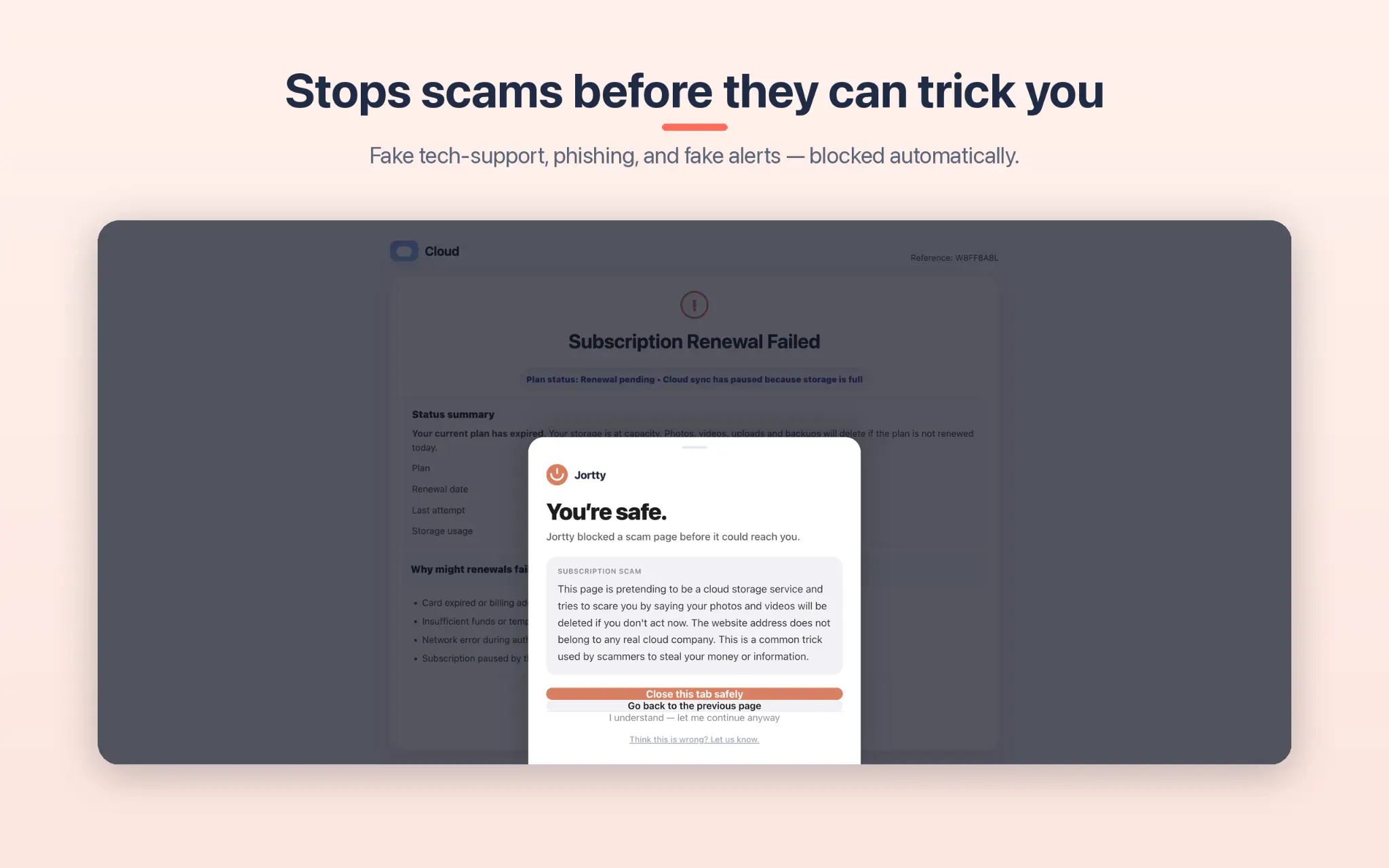
Stops scams before they can trick you
When Jortty Shield detects a fake tech-support page or phishing site in Safari, it steps in front of the page and shows you a calm, clear warning — before you can be tricked. You’ll see exactly what the scam was trying to do, in plain English.
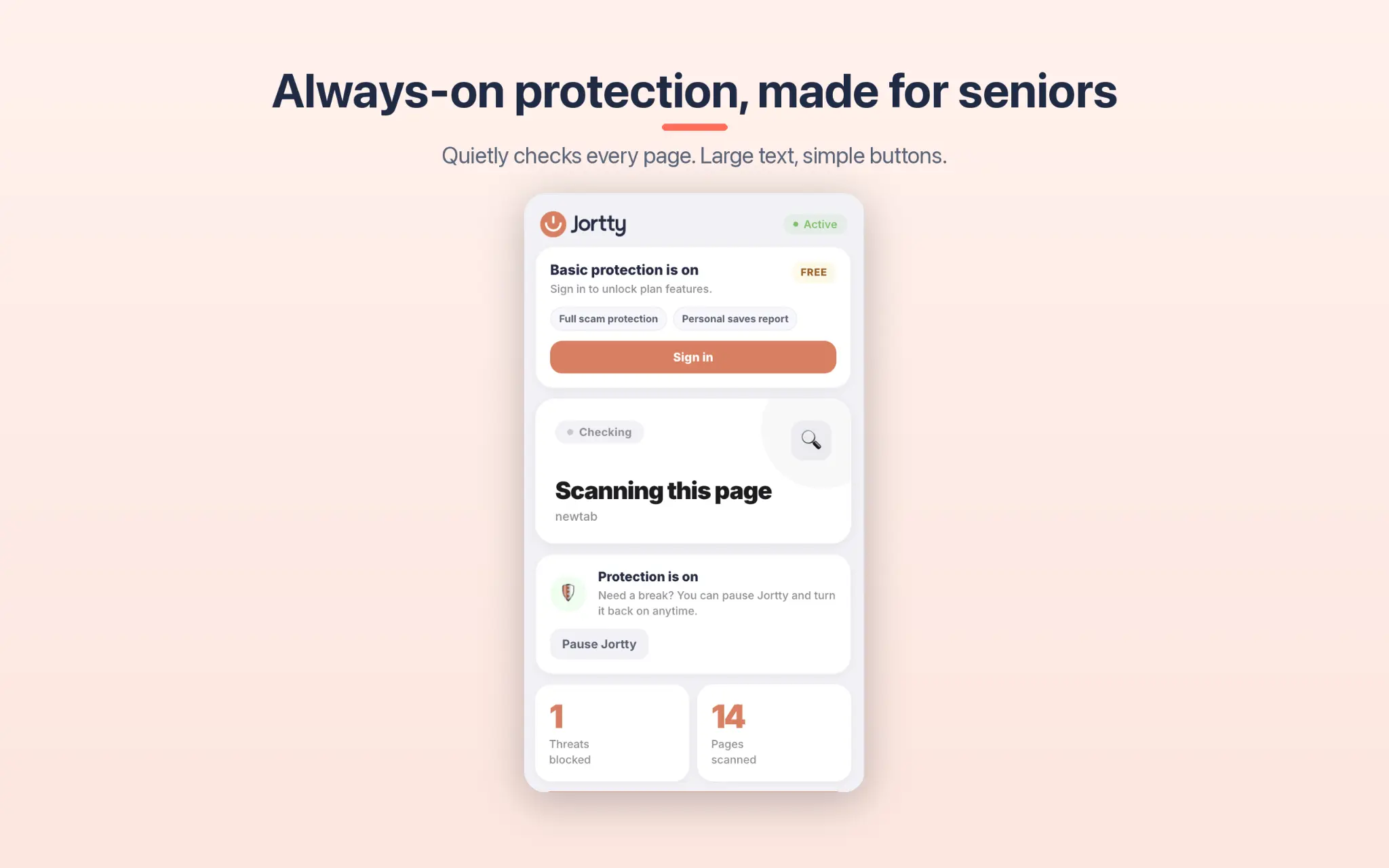
Quietly checking every page in Safari, all day long
Jortty Shield works silently in the background of Safari. You don’t have to press anything — it automatically scans every website you visit and keeps a running count of threats blocked and pages checked.

No tech skills needed — protected in moments
Install Jortty Shield from the Mac App Store and a friendly welcome screen walks you through exactly what it does. Three simple points, large text, no jargon. Hit Continue and you’re protected.
What Jortty Shield does in Safari
Blocks fake tech-support pop-ups
The scary “your computer is infected, call this number” pages — stopped before they can frighten you in Safari.
Catches phishing & fake logins
Jortty spots fake Apple ID, bank, and sign-in pages in Safari before you ever type your password.
Calm, clear warnings
Plain language, large text, and a safe way out — no jargon, no panic. Designed for real people.
Remembers sites you trust
Say “I’m okay with this site” once and Jortty won’t ask you again in Safari.
How it works in Safari
Add it to Safari
Install Jortty Shield from the Mac App Store — free, in a few seconds, no account needed.
Browse normally
Jortty quietly checks every page in Safari’s background while you go about your day.
Get warned in time
If a page looks like a scam, Jortty shows a calm full-screen warning with a safe way back.
Questions, answered
Jortty Shield for Safari is almost here
Be the first to know when it lands in the Mac App Store.