Email scams have been around for a long time. However, in 2026, they have become far more advanced, personalized, and dangerous—especially for seniors. What earlier appeared as poorly written messages from strangers has evolved into refined, believable emails that mimic doctors, banks, family, and even government agencies.
Seniors are targeted not because they are unaware, but because they trust official communication and are more likely to respond quickly when something feels urgent. In our post today, we are going to highlight the common email scams targeting seniors in 2026, the way they work, signs to look out for, and what steps one should take if something goes wrong.
Why Seniors Are a Prime Target in 2026
Scammers are always on the lookout for opportunity and email is one of the easiest entry points. Seniors are the prime targets for numerous reasons:
- They have stable savings, retirement accounts, or pensions
- Several older people use email as their main communication tool
- A few of them are less familiar with the growing digital threats
- Scammers find seniors more trusting of authority figures
In 2026, artificial intelligence has made email fraud more personalized, using names, locations, and realistic writing styles to appear legitimate, necessitating the need for AI-Scam Detection support.
Email Scams Seniors Need to Watch Out for in 2026
Email scams targeting seniors continue to evolve, becoming highly convincing and tougher to recognize. We have shared a few examples below to bring to light common techniques the scammers are using in 2026.
Government Impersonation Emails
Fake messages are one of the highly pervasive email scams that target seniors. These emails pretend to come from government agencies such as Medicare or Social Security.
How It Works
Scammers send emails that look like official notices and claim:
- Your Social Security number is compromised.
- Your benefits will be suspended unless you “verify” your identity.
- You must download an attachment or click a link to update your records.
These emails use authoritative language and real agency logos to stand out as credible. A recent alert from the SSA warns that emails that appear to be from official Social Security communications are circulating, leading to malicious websites created to steal personal data or install malware.
What Seniors Should Watch For
- Email addresses that don’t end in .gov but look similar.
- Urgent language that forces you to act immediately.
- Unexpected attachments asking for personal information.
Fake Bank or Financial Institution Alerts
These scams appear similar to emails from your credit union, bank, or investment firm.
Typical scenarios include:
- “Your account has been frozen due to suspicious activity.”
- “Unauthorized charges were detected — please confirm your login details.”
- “Your credit card will be cancelled.”
These may ask you to click on a link to a fake login page that captures your username and password.
Red Flags
- Emails with generic greetings (“Dear Customer” instead of your name).
- Poor spelling, urgent tones, or mismatched domains.
- Links that show odd addresses when you hover over them.
It is important to stay aware that legitimate institutions will never ask you for your full account details by email, mainly through suspicious links.
Phishing Emails with Malicious Attachments
Phishing scams for the elderly do not appear like any bank or government fraud. A few emails may contain an attachment that appears harmless but still delivers malware. Knowing how phishing scams work can help seniors identify suspicious emails before malware or data theft happens.
How This Scam Works
An email might claim to include:
- A “receipt” from a purchase you didn’t make.
- A “tax document” for the year.
- An “important account update.”
When you open this attachment, malicious software gets installed on your computer that gives scams access to:
- Financial data.
- Saved passwords.
- Personal photos and files.
This kind of phishing has formed the cornerstone of online fraud for years and continues to maintain its prevalence in 2026.
Advance-Fee and Lottery Scams
Scammers might often send emails informing recipients about the prize they won. However, first they should pay for the taxes or fees.
Here are a few advance-fee scam examples:
- You are entitled to a share of a large unclaimed fund.
- A distant relative left you an inheritance.
- You must pay a processing fee to claim your “prize.”
This kind of scam has a huge history that is often referred to as an advance-fee scam. However, the promised reward can never materialize after the victim sends this fee.
Steps to Avoid Being Duped
- Never pay money upfront to get a prize.
- Be skeptical of offers that come unexpectedly.
- Check reputable sources or consumer protection sites.
Bogus Medicare or Healthcare Emails
Healthcare scams are common since they tap into real worries about insurance or medical care coverage.
What These Emails Claim
- You need to verify your Medicare or insurance card.
- There’s a change or upgrade to your health benefits.
- A new payment is required to continue coverage.
These would often include links to fake portals that are designed to harvest Medicare numbers or other identifying information that gets used for identity theft.
Fake Subscription & Renewal Notices
Seniors often receive emails that claim that they have been charged or will soon be charged for services such as:
- Streaming platforms
- Antivirus software
- Cloud storage
- Online newspapers
The objective here is to trick its recipient into clicking the “cancel” link, leading to a phishing site.
Why It Works
People are scared of being overcharged or charged for services they do not recall signing up for.
Red Flags
- Unexpected invoices
- Poorly formatted receipts
- Pressure to act before a charge posts
Ensure to check for the subscriptions directly by logging into the service through the browser and not through email links.
Deepfake and AI-Enhanced Impersonation Emails
Due to the significant advancements in AI, scammers are now using deepfake scam technology to mimic the voices of family members. These are sharedthrough email links or attachment videos.
Why This Is Dangerous
AI scams fabricate believable conversations or visuals of someone you trust. Common scenarios might include:
- An email with a video clip of a grandchild in trouble.
- A link that leads to an impostor chat or payment demand.
This turns emotional manipulation highly potent, mainly for seniors who depend on family support.
What to Do If You Suspect a Scam
If you receive a suspicious email:
- Delete the message without responding.
- Do not open attachments or click links.
Report the scam to the appropriate agency:
- The Federal Trade Commission (FTC) at reportfraud.ftc.gov.
- The SSA Office of Inspector General for SSA-related scams.
- Your bank or service provider’s fraud department.
Reporting sooner can help protect others and, at times, prevent any further harm.
How to Protect Yourself (and Your Loved Ones)
Email scams evolve consistently; however, the defenses remain the same. To protect seniors from online scams, email safety needs verification and informed actions.
Be Skeptical of Urgent Requests
Legitimate companies or institutions rarely use pressuring language. If an email sounds urgent, ensure to stop and verify before clicking on anything.
Check the Email Address Carefully
It is important to check the sender’s domain, especially the part after “@.” Small misspellings like bank-login.com vs. bank.com are clear signs of fraud.
Avoid Clicking Suspicious Links
Avoid clicking on a link, open a new browser tab, and type in the official website.
Do Not Share Sensitive Information
Reputable organizations will never ask for your:
- Full Social Security number.
- Account passwords or PINs.
- Bank login details via email.
Use Security Tools
Ensure to enable multi-factor authentication for online security and use reputable spam filters to identify phishing attempts before they land in your inbox.
Talk About It
It is important to discuss scams with your family or reliable friends before responding. Since a second set of eyes can stop a scam in its tracks.
How AI Scam Detection Tools Are Helping Seniors Stay Safe Online in 2026
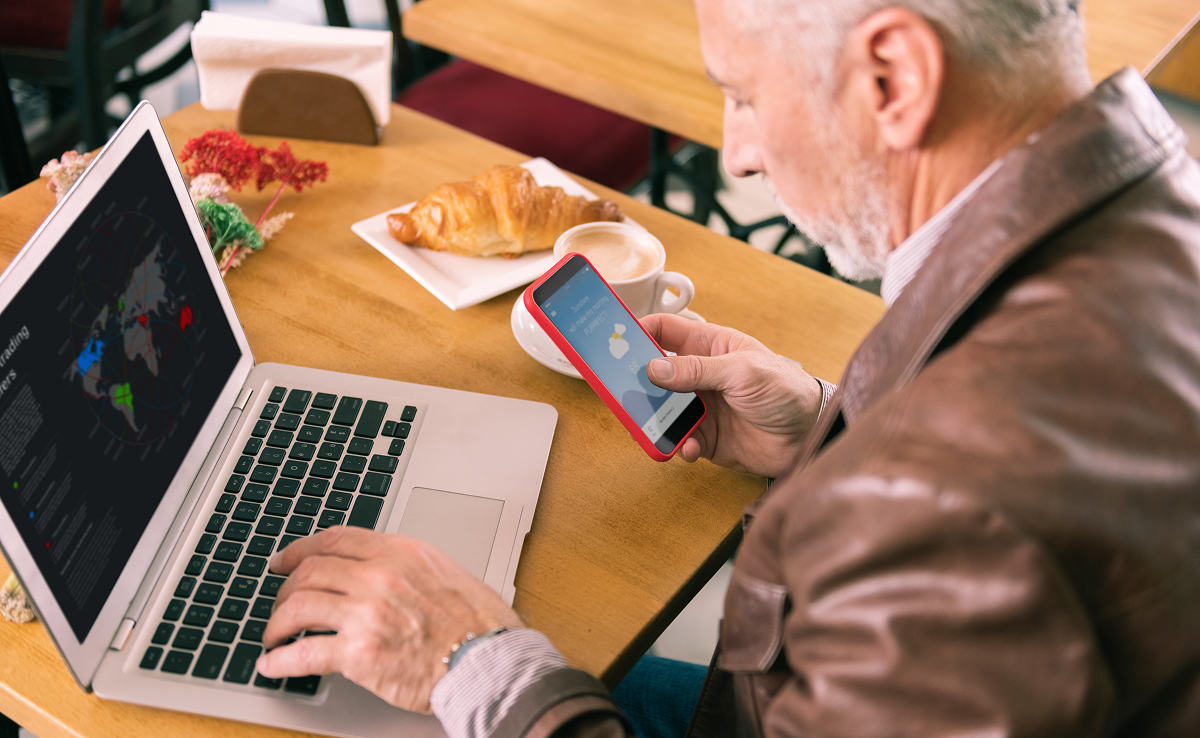
Since email scams are becoming more sophisticated in 2026, AI-powered scam detection tools are assisting seniors in identifying threats. Several email scams today closely resemble real messages from banks, healthcare providers, or even family members. AI scam detection tools work in the background, analyzing incoming emails and flagging suspicious activity before any harm occurs. These tools can help seniors:
- Detect phishing emails imitating reliable organizations
- Warning users before clicking on unsafe links or opening attachments
- Identifying impersonation and AI-enhanced scam attempts
- Filtering high-risk emails out of the inbox
This added security layer reduces confusion and stress, improving a senior’s online confidence. When used with basic email safety habits, AI-powered scam detection tools serve as a strong safeguard against modern email scams that do not need any technical expertise.
Final Thoughts
Email scams in 2026 are highly convincing, mainly for seniors who are navigating an increasingly digital work environment. Having the right support can make all the difference, and here is where Jortty steps in.
It is the reason why our all-in-one platform is designed to keep you safe, informed, and confident online. We use AI-powered scam detection and reliable expert connections to offer you real-time protection. Contact us today to learn more about how we help you stay protected, answer all your tech concerns, and help you navigate the digital space with confidence!
Frequently Asked Questions
Can scammers access my email without clicking links?
Yes. Weak passwords, reused credentials, or data breaches can expose accounts.
Are scam emails always sent from strangers?
No, scammers sometimes hijack real contacts or mimic familiar senders to increase credibility.
Should I keep old scam emails as evidence?
Yes, saving scam emails can help authorities investigate patterns and prevent future fraudulent activity.